Support > Account & Profile > How to delete my account
How to delete my account
To delete your Smarthealth account, please follow the steps below.
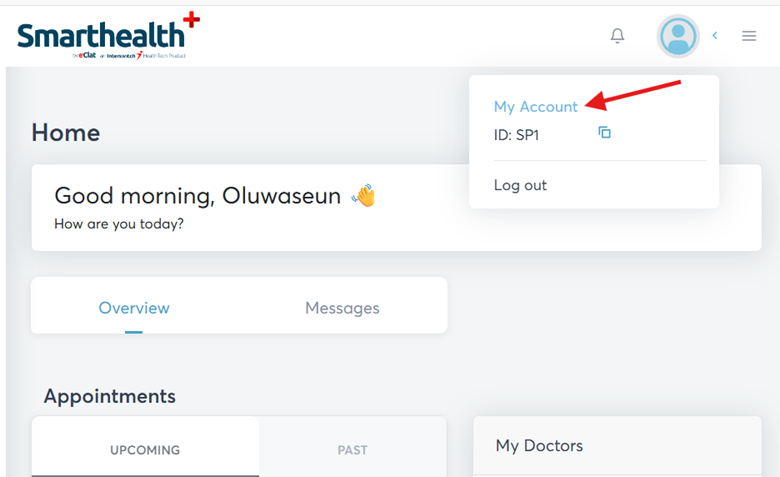
1. Click on My Account from your profile header
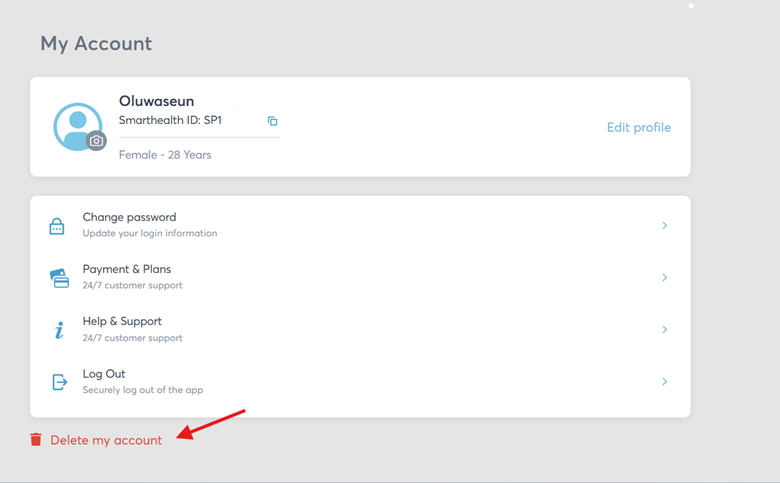
2. Click on Delete my account
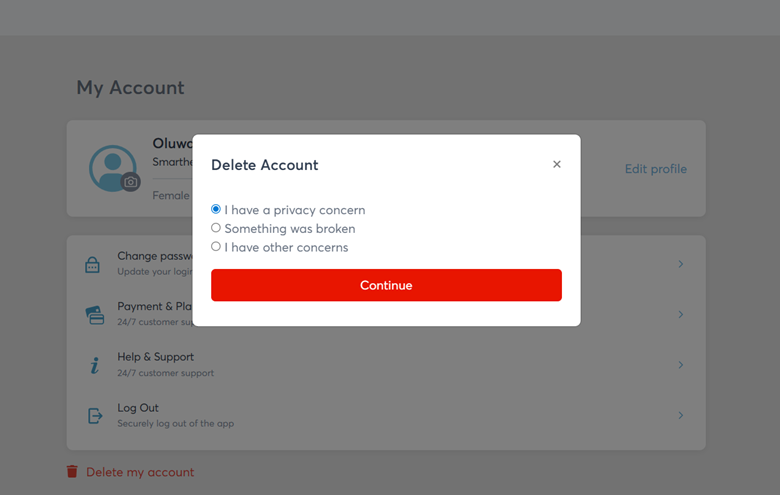
3. Select your reason
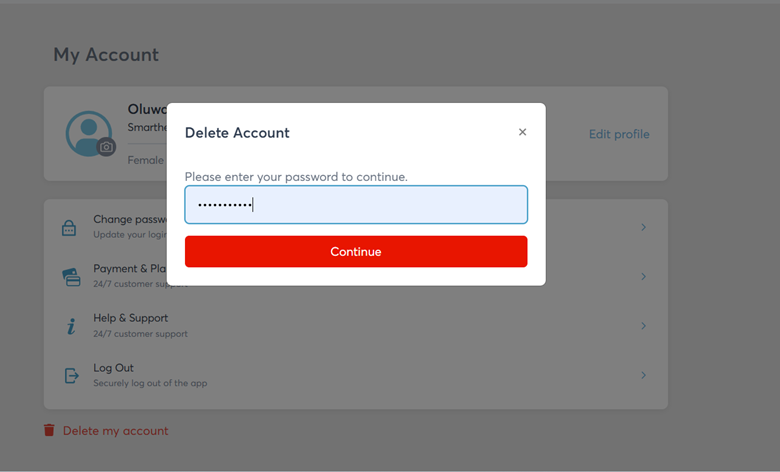
4. Input your password to continue and our Risk & Compliance team would contact you for confirmation
Related articles
Contact us
Our service agents are available to assist you onMon - Fri | 8am - 10pm
eclatsupport@interswitchgroup.com
+23412344567890
Still need assistance?
You can begin your support request online and we'll connect you to an expert.
Submit Request